
A calibration app for factories that have to prove their equipment is accurate. Every reading recorded, every step photographed, ready for an inspector.
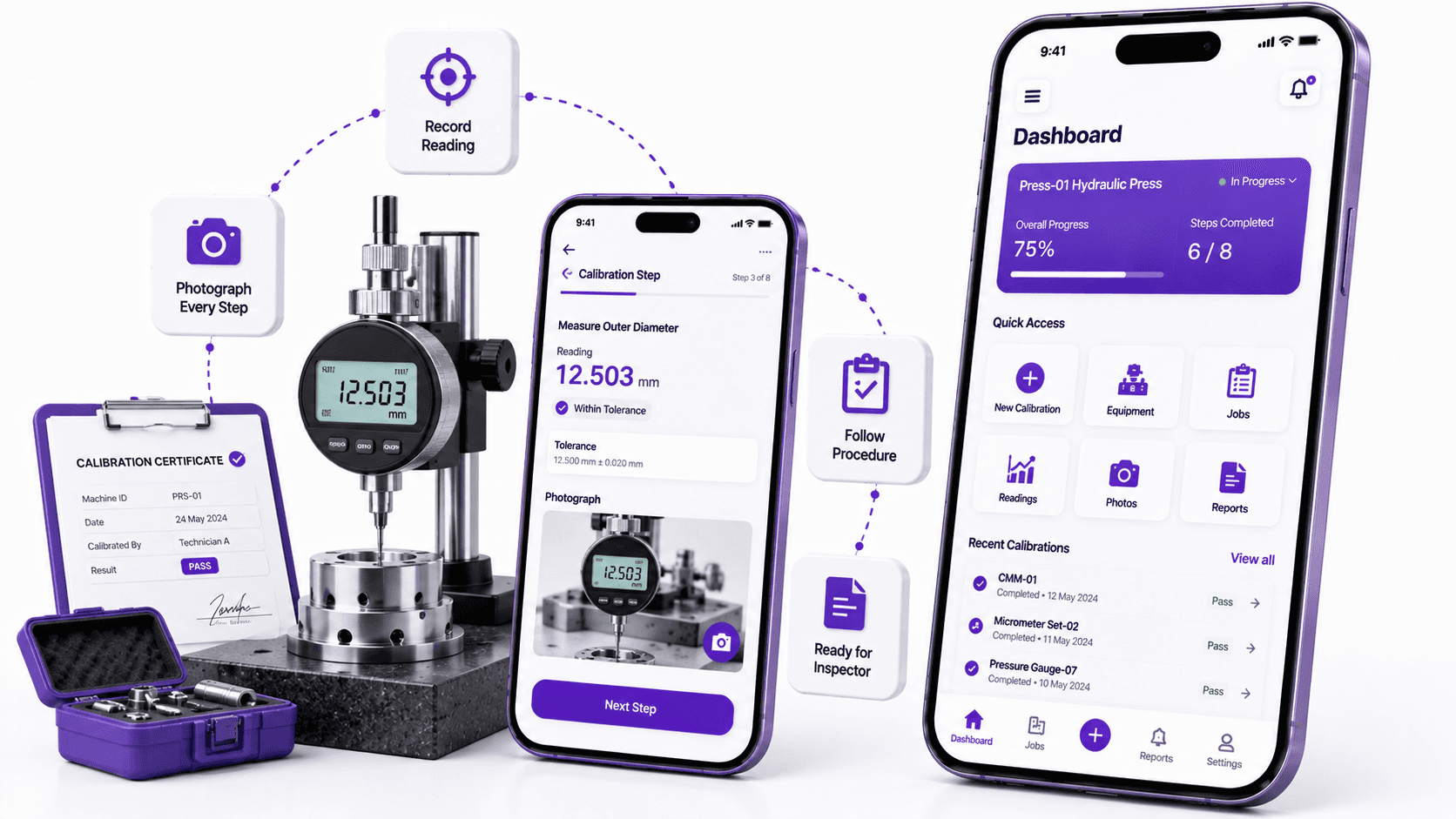
Factories in regulated industries have to check their equipment regularly and prove it is still accurate. A gauge that reads two percent high produces two percent wrong parts, and nobody finds out until a customer does.
The checking itself is routine. A technician takes readings, compares them against a standard, and records the result. What is not routine is the paperwork. Every reading has to be written down, signed, filed, and produced on demand when an auditor asks for it.
A calibration record with no evidence behind it is a piece of paper saying somebody remembers doing something.
That paperwork lives on printed forms in binders. Forms get filled in at the end of the day from memory. Numbers get transcribed and transposed. And when an inspector asks how you know a particular reading was taken on a particular machine, the honest answer is often that you do not.
A pressure gauge, a torque wrench, and a temperature probe are checked in completely different ways, with different readings, different columns, and different numbers of steps. One fixed form cannot serve all three.
The point of the record is that someone outside the company believes it. That means knowing who took a reading, when, on which machine, and having something more than a typed number to show for it.
Calibration data is naturally a grid. Rows of readings, columns of conditions. Grids are difficult on a phone at the best of times, and this one had to be filled in by someone standing next to a machine.
If anyone can log in and edit a calibration record, the record proves nothing. Access has to be genuinely restricted, including the part where somebody forgets their password.
The app does two things that paper cannot. It changes shape depending on what is being calibrated, and it attaches a photograph to every single reading.
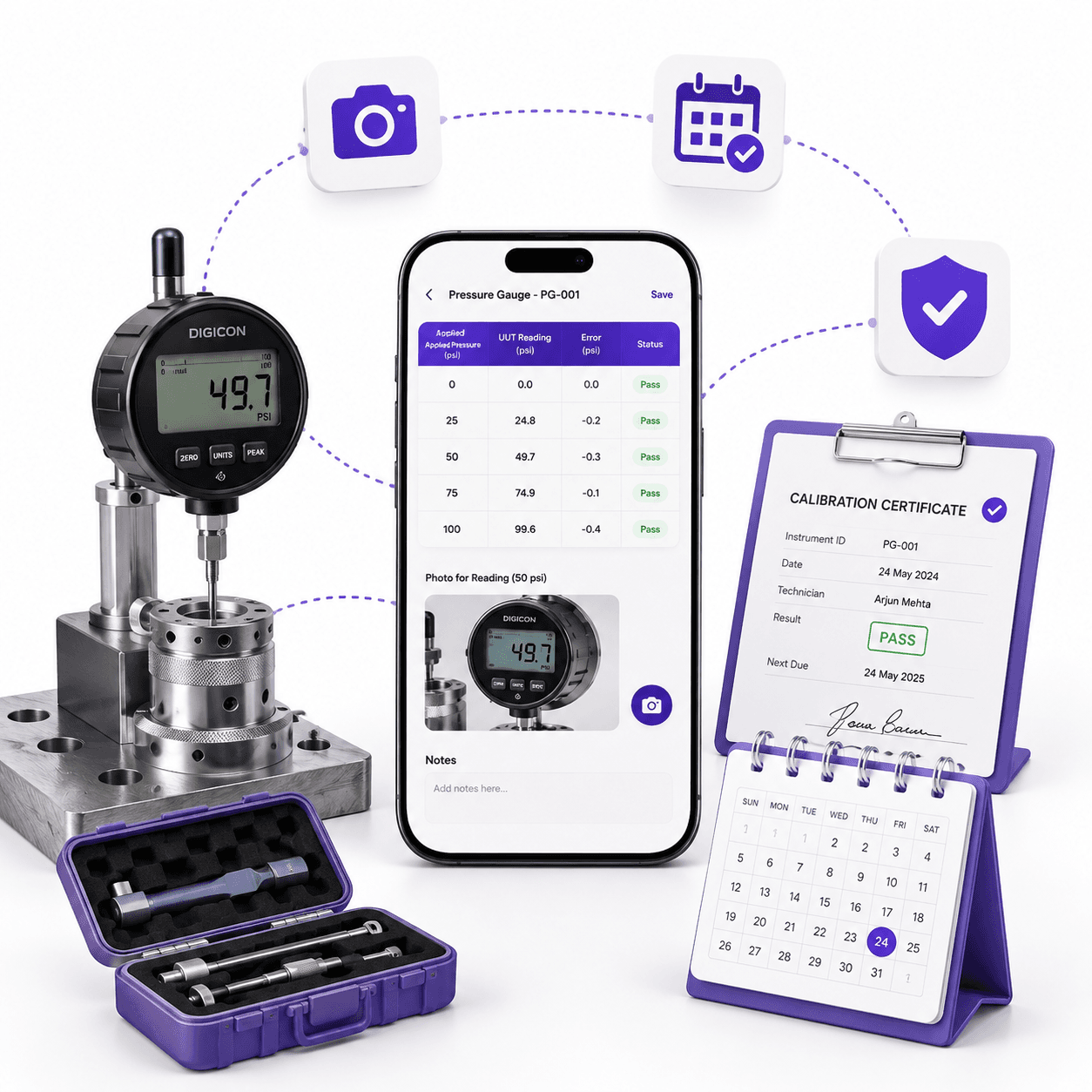
Rather than one form covering everything badly, the app builds the right table for whatever is being calibrated. A pressure gauge gets pressure columns. A torque wrench gets torque columns. The technician sees only the readings that apply.
We used a proper data grid rather than a stack of input boxes, so the table behaves like a table even on a phone. Rows and columns, tapping into cells, moving through them in the order the work is actually done.
This is what makes the app usable at the machine instead of at a desk afterwards. A form that matches the job gets filled in during the job.
The technician can capture an image against any individual cell in the table. Not one photo of the machine at the end, a photo tied to that specific reading.
This is the part that changes what the record means. A number in a box is a claim. A number with a photograph of the display it was read from is evidence. When an auditor asks how you know, there is an answer.
It also catches mistakes. A photograph and a typed number that disagree is a transcription error found immediately rather than a wrong record filed for three years.
Calibrations are due on a cycle, and the expensive failures come from equipment quietly going past its date. The app tracks what is due and when, so the schedule is a live list rather than a spreadsheet someone remembers to check.
Records are visible as they are entered rather than after processing. Somebody in the office can see a calibration was completed this morning without waiting for a folder to arrive.
Login is properly controlled, and password resets go through a one time code sent to the user rather than an email link anyone with access to a shared inbox could use.
It sounds like a small detail next to the calibration work itself. It is not. The whole value of the record rests on knowing which named person entered it.
The table changes to match whatever is being calibrated.
Evidence captured against individual readings, not just the job as a whole.
Results visible as they are entered rather than after paperwork is processed.
Tracks what is due and when, so equipment does not drift past its date.
Login, logout, and password changes properly restricted.
Password recovery through a code to the user, not a shared inbox.
Calibrations are recorded at the machine, on a form built for that instrument, with a photograph behind every reading. The binder of forms filled in from memory is gone.
What changed is not the speed of the work. It is what the record is worth afterwards. A calibration with photographic evidence and a named person attached answers the question an inspector actually asks, which is not what the reading was, but how you know.

Tell us what isn't working. We'll tell you honestly whether we're the right team to fix it.
We reply within one working day.
First conversation is a scoping call, not a pitch.
If it isn't our kind of problem, we'll say so.