
A project system for construction and engineering work. Labour, materials, expenses, attendance, and approvals, all recorded on site instead of on paper.
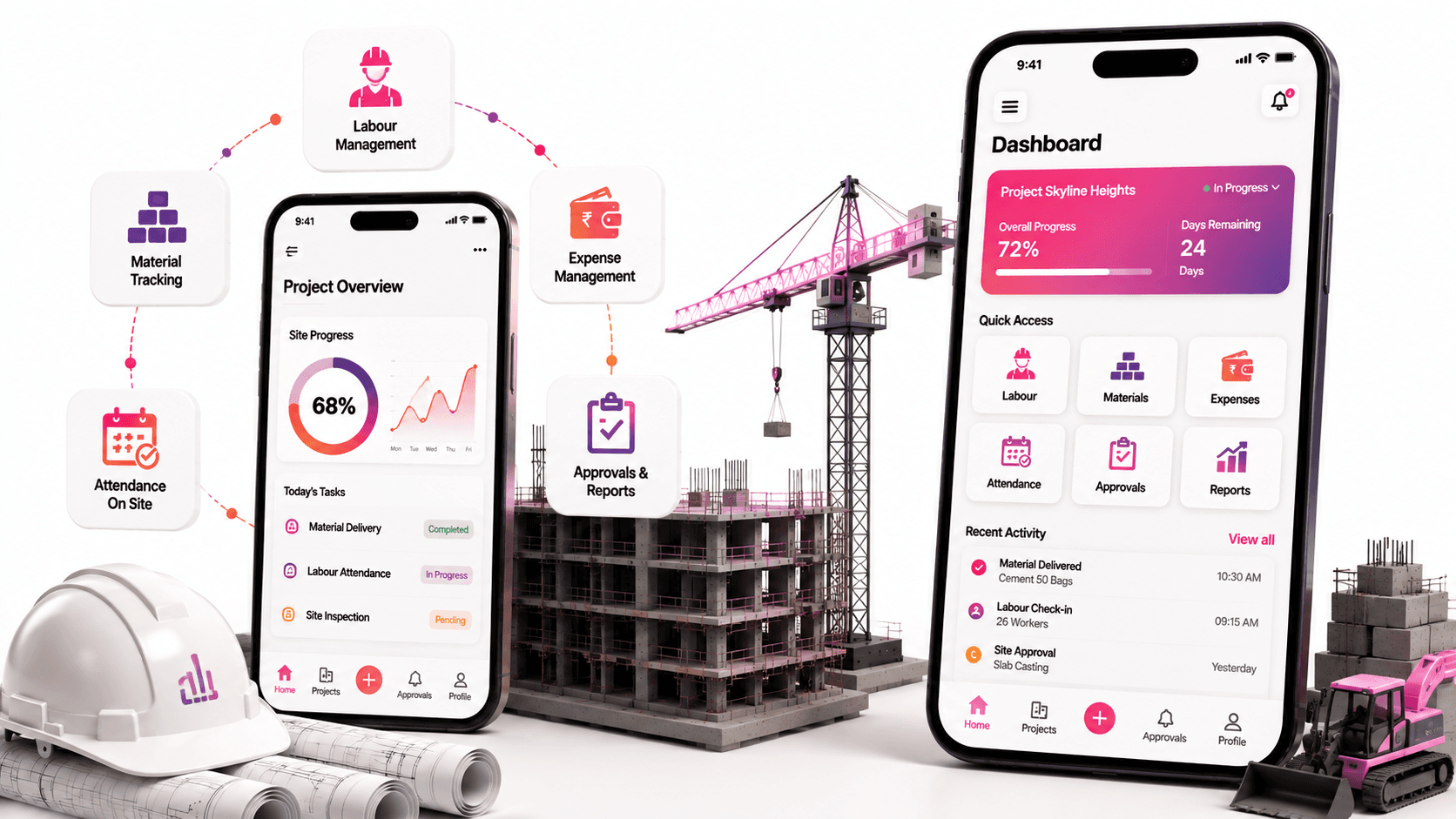
On a construction project the person who knows what is needed is standing on the site. They can see the work is short of cement, that a machine is idle, that six people turned up when eight were expected.
None of that reaches the office in time. It goes in a notebook, gets phoned through at the end of the day, or gets remembered in a meeting the following week. By then the material has been bought at short notice for more money, or the day has been lost.
By the time a site problem reaches the office in writing, it has usually already cost money.
Money follows the same path. Expenses, labour hours, and payments get recorded on paper across several sites and reach the office as a bundle at month end. Nobody knows what a project has cost until long after they could have done anything about it.
A site in-charge records what is happening. A project manager decides what gets approved. An admin controls the money and the final say. Giving all three the same screen would make it useless to all of them.
A request for materials has to go from the site to the manager to the admin. If someone can jump that chain, the controls stop meaning anything. If the chain is too slow, people stop using the app and go back to phone calls.
A project manager might be responsible for four locations. Every number, every request, and every attendance record has to be tied to the right one, and the app has to make switching between them quick.
This is used outdoors, in bright sun, by people wearing gloves, on phones that are not new. It has to work with big taps and short interactions, not careful data entry.
Everything is recorded where it happens, by the person it happens to, and moves up through approval automatically. Nobody carries a notebook to the office.
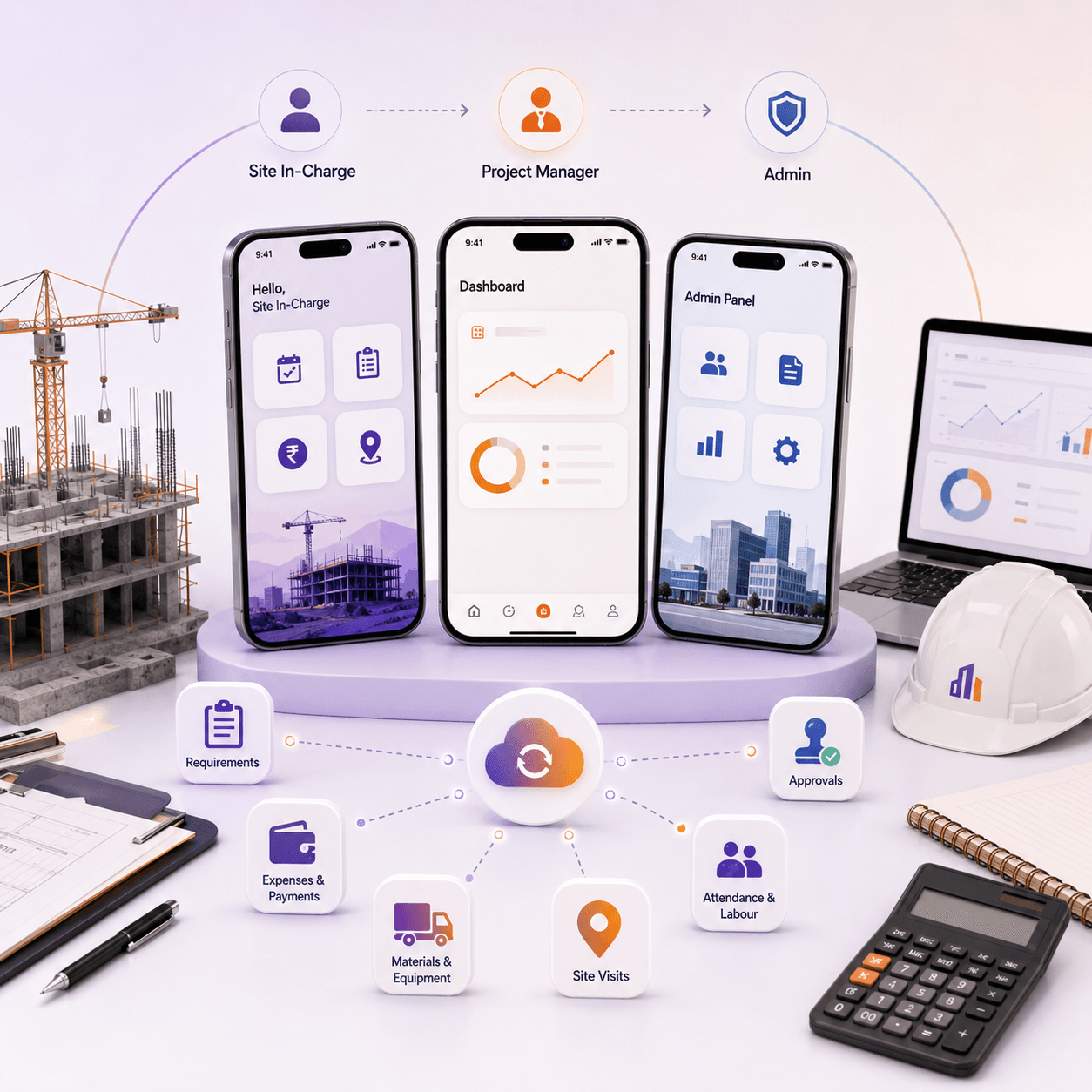
A site in-charge sees the things they do: mark attendance, log a requirement, record an expense, note a visit. Short screens, few taps, nothing they do not need.
A project manager sees requests waiting on them, the sites they run, and what each is costing. Their job is deciding, so the app puts decisions in front of them rather than data entry.
An admin sees everything, approves what the manager has passed up, and controls payments. The same app, three genuinely different experiences, because a site in-charge and an admin do not share a single task.
A site in-charge logs what the site needs. That request appears immediately in the project manager list. The manager approves it and it goes to the admin for the final decision.
Nothing skips a step, and nothing sits in someone inbox unseen. Each person sees what is waiting on them and how long it has been there.
The reason this is the centre of the app is timing. A material request that gets approved the same afternoon gets ordered at a normal price. The same request approved next week gets ordered urgently.
Expenses go in from the site at the time. Labour is recorded against the project it worked on, with hours and cost. Payments are entered and tracked against the work they relate to.
That means a project cost is a live number rather than a month end reconstruction. A manager can see a project drifting over budget while there is still time to do something.
Attendance is marked in and out on site. Labour is assigned to work and hours are recorded against it. Employee balances, leave, and advances are kept in the same place rather than in a separate register.
Materials and equipment are ordered and tracked through the app, so what was requested, what was approved, and what arrived are all in one chain instead of three.
Site visits are scheduled and recorded, which matters when the person doing the visiting is responsible for four locations and needs to prove where they were.
Site logs it, manager approves, admin confirms. Nothing skips a step.
Costs recorded on site as they happen rather than at month end.
Materials, equipment, and services requested and tracked through to arrival.
Work assigned, hours recorded, and labour cost tied to the right project.
In and out marking on site, kept against the project being worked on.
Project payments recorded and matched to the work they cover.
Leave, advances, and balances in the same place as everything else.
Planned, recorded, and tied to the location they took place at.
Several sites tracked separately, switched between quickly.
Site, manager, and admin each see and control only what belongs to them.
Requirements logged on site reach the people who approve them the same day. Expenses and labour are recorded where they happen, so a project cost is something a manager can watch rather than something they discover.
The approval chain is the part that changed how the work runs. Site to manager to admin, in order, visible to everyone in it. What used to be a phone call and a hope is now a record with a timestamp.


Tell us what isn't working. We'll tell you honestly whether we're the right team to fix it.
We reply within one working day.
First conversation is a scoping call, not a pitch.
If it isn't our kind of problem, we'll say so.